Showing posts with label work. Show all posts
Showing posts with label work. Show all posts
Wednesday, June 1, 2011
Wednesday, May 18, 2011
Tuesday, February 8, 2011
Web based SCADA
For those of you whom don't know. I do a little bit of work with SCADA.
I am getting really sick of the Citects and Intouch's of the world. So decided to have a look at something new.
I am quite enthused that many of the SCADA's are moving to web-based platforms.
Two of my current favourites are :
http://www.integraxor.com
 and
and
 http://www.statusvision.com/
www.farrst.blogspot.com
I am getting really sick of the Citects and Intouch's of the world. So decided to have a look at something new.
I am quite enthused that many of the SCADA's are moving to web-based platforms.
Two of my current favourites are :
http://www.integraxor.com


www.farrst.blogspot.com
Sunday, February 6, 2011
How do send txt messages via cmd prompts (work crap)
25.2. Syntax of the +CMGS AT Command in SMS Text Mode
In SMS text mode, the syntax of the +CMGS AT command is: (Optional parameters are enclosed in square brackets.)+CMGS=address[,address_type]
Before we discuss each of the parameters, let's see an example that gives you some idea of how an actual command line should look like:
AT+CMGS="+85291234567",145
The address Parameter
The first parameter of the +CMGS AT command, address, specifies the destination address to send the SMS message to. Usually it is a mobile number formatted using the typical ISDN / telephony numbering plan (ITU E.164/E.163). For example, "+85291234567", "91234567", etc. Note that the value passed to the address parameter should be a string, i.e. it should be enclosed in double quotes.
The address_type Parameter
The second parameter of the +CMGS AT command, address_type, specifies the type of the address assigned to the address parameter. Two values are commonly used. They are 129 and 145:
- 129. It means the value of address is formatted using the typical ISDN / telephony numbering plan (ITU E.164/E.163) but it is not sure whether the value of address is an international number, a national number or a number of other types. Example addresses: "85291234567", "91234567".
- 145. It means the value of address is formatted using the typical ISDN / telephony numbering plan (ITU E.164/E.163) and it is an international number. Example address: "+85291234567".
- 129 if the value of address does not start with a "+" character. For example, "85291234567".
- 145 if the value of address starts with a "+" character. For example, "+85291234567".
The
The sms_message_body Parameter
The third parameter of the +CMGS AT command, sms_message_body, specifies the body of the SMS message to be sent. Entering the
The
When you finish entering the SMS message body, you have to enter the
Stolen from http://www.developershome.com/sms/cmgsCommand.asp
www.farrst.blogspot.com
Sometimes we get caught up in the "MUST DO THIS" stage
Sometimes we get caught up in the "MUST DO THIS" stage, and we find ourselves in the position where we tried to get everything done (to spend time doing the things we like)......only to find that list is bottomless.
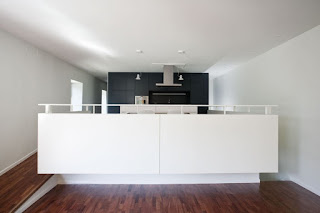
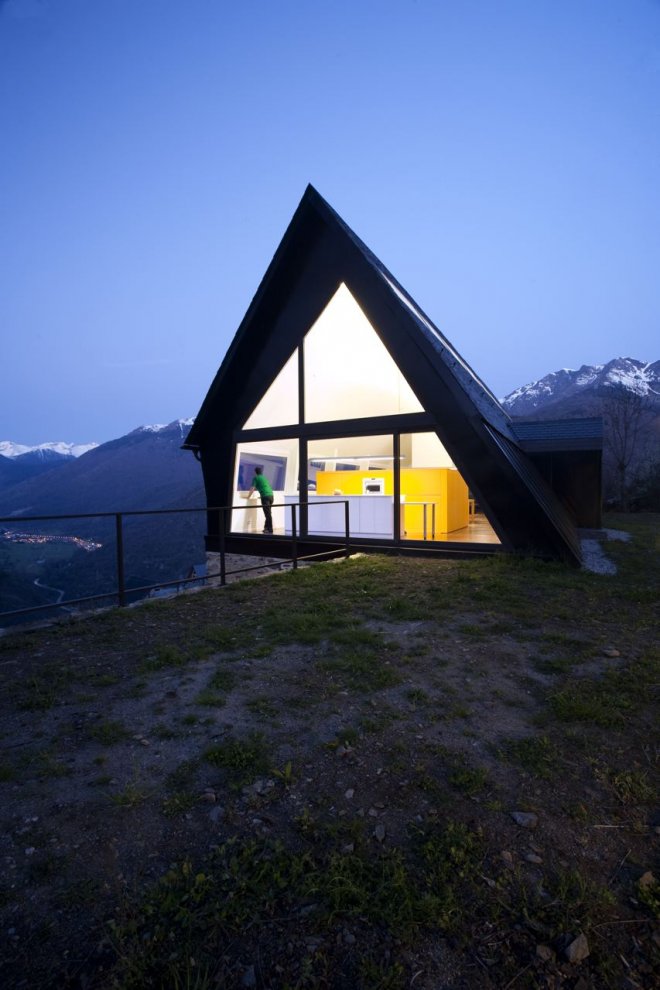
(house pictures are from a couple of nice looking builds I saw on Architizer - thought I better share the inspiration......keep reading.....)


I have discovered recently, that if you have enough self drive, that list forever increases in length - and on the flip side of the coin - if you have no drive......no items on the most basic of lists are done. Your house isn't vacuumed, the dishes sit in the sink, that project you started 6 months ago, never moves. Life stands still according to your list - but in reality the list keeps growing out of your control.


So what do you do. Well I can tell you now - the problem is not the list, its not you. Its the fact that we are put in a place assuming the role of the perpetual worker. As you know, as good worker - makes everything in his/her job a "MUST DO" task. Must clean the bench. Must get that proposal in today. Must get home by 5:30pm........and while these things are good - when you think about it; Are they must do?
Can they wait an hour? a week? a day?
So is being your best - the best you can be? Or the best you can do for now because you must do this other thing right now......
Obviously the flip of this is you get lazy, unmotivated....can't be F***ed. You think that if you stop doing things, you will be fine. But the fact of the matter is that while the world passes you by minutes, hours, then days......then one day you sit back and realize that you have this massive catchup list you need to do, the one that has built up over years. You jump out of productivity rehab, get told to run when you can barely walk.


This weekend I experience the middle ground. The 'must do' tasks changed from ones with deadlines, to ones that I wanted to happen. My uni stuff, my work stuff, even the household cleaning became second priorities to holding my wife, talking to my unborn son, chatting with friends over dinner/drinks, prepping cleaning room, sorting my motorbike......and I even dedicated some time to thinking.


Isn't it strange that we always imagine "thinking about something" is a must do task. Yet when we get around to it - the response is simply "Oh I don't have time for that now - lets just get this done".
Imagine if your doctor just pulled you into the operating theater and said that. Or a builder built a house without a drawing.


YOU MUST DEDICATE TIME TO THINK.


Even if its only 5 minutes to contemplate why you are unhappy in your job, unhappy in a relationship......or more importatly what you are happy for.


After 5 minutes of thinking you will come to some most profane conclusions. It may change you entire day. Your whole "Must do" list goes out the window. Because when you think of your priorities - is your life currently catering for them?


Take care all
www.farrst.blogspot.com
(house pictures are from a couple of nice looking builds I saw on Architizer - thought I better share the inspiration......keep reading.....)


I have discovered recently, that if you have enough self drive, that list forever increases in length - and on the flip side of the coin - if you have no drive......no items on the most basic of lists are done. Your house isn't vacuumed, the dishes sit in the sink, that project you started 6 months ago, never moves. Life stands still according to your list - but in reality the list keeps growing out of your control.


So what do you do. Well I can tell you now - the problem is not the list, its not you. Its the fact that we are put in a place assuming the role of the perpetual worker. As you know, as good worker - makes everything in his/her job a "MUST DO" task. Must clean the bench. Must get that proposal in today. Must get home by 5:30pm........and while these things are good - when you think about it; Are they must do?
Can they wait an hour? a week? a day?
So is being your best - the best you can be? Or the best you can do for now because you must do this other thing right now......
Obviously the flip of this is you get lazy, unmotivated....can't be F***ed. You think that if you stop doing things, you will be fine. But the fact of the matter is that while the world passes you by minutes, hours, then days......then one day you sit back and realize that you have this massive catchup list you need to do, the one that has built up over years. You jump out of productivity rehab, get told to run when you can barely walk.


This weekend I experience the middle ground. The 'must do' tasks changed from ones with deadlines, to ones that I wanted to happen. My uni stuff, my work stuff, even the household cleaning became second priorities to holding my wife, talking to my unborn son, chatting with friends over dinner/drinks, prepping cleaning room, sorting my motorbike......and I even dedicated some time to thinking.


Isn't it strange that we always imagine "thinking about something" is a must do task. Yet when we get around to it - the response is simply "Oh I don't have time for that now - lets just get this done".
Imagine if your doctor just pulled you into the operating theater and said that. Or a builder built a house without a drawing.


YOU MUST DEDICATE TIME TO THINK.



Even if its only 5 minutes to contemplate why you are unhappy in your job, unhappy in a relationship......or more importatly what you are happy for.


After 5 minutes of thinking you will come to some most profane conclusions. It may change you entire day. Your whole "Must do" list goes out the window. Because when you think of your priorities - is your life currently catering for them?


Take care all
www.farrst.blogspot.com
This is under:
architechture,
art,
bad practice,
design,
friends,
personal,
personal development,
work
0
comments


Wednesday, August 25, 2010
Stew's HV Power Siemens Digsi Training notes (from 2006)
Kinda useless for anyone else - but handy for me if I ever need it
1st time use:
Options -> Customise
Set zip program
Right click main window
-> Device Catalog
-> Left click and drag onto main window (device)
MLFB-> 7,8,9,10.....5-4EB
9/1 -> O
9/2 -> S (on side of machine)
Device properties are 1 right click away
-> Comms parameters
Settings
-> Right click / double click on object
DAS -> DAC
Reg D/A -> PLC
IEC61850
- Universal naming
- Universal comms
Two comms loops
- SCADA
- Engineering Comms
Garrettcom uses Telnet
FT14 -> 10mb
FTEHR -> 100mb
To creating more than 1 setting group
-> Setting
-> Device config
-> Adjust setting group -> Enable
Power system data
Matrix
-> view -> collapse -> ALL
double click these info source destination
Disable filter on top bar
Can add groups -> E.g. motor control by right clicking left bar
motor control -> rt click -> info -> tagging -> drag into motor control
source -> F -> rt click -> F1
Latched o/p (rt click) -> push and stay closed
destination -> CFC -> configured
I/O in relation to cfc/matrix
matrix o/p -> ? destination
CFC -> RT/Click -> create new
CFC(1) -> rt click -> Properties
CFC uses same L->R as scematics
Blocks use D/O in values of eg 5=5%
R/click inputs to assign inputs
Can do more than 1 point user defined fields
e.g. motor control -> motor on
-> less than 5%
EDIT -> Run sequences (in charts)
000 000
CTRL/Q0 GIGO 1 SPCSO 1 SP EXSP
Q1
Is this similar to the clipsal stuff?
Can connect from CFC page 1 to CFC page 2 but not between CFC's
Destination display
www.farrst.blogspot.com
1st time use:
Options -> Customise
Set zip program
Right click main window
-> Device Catalog
-> Left click and drag onto main window (device)
MLFB-> 7,8,9,10.....5-4EB
9/1 -> O
9/2 -> S (on side of machine)
Device properties are 1 right click away
-> Comms parameters
Settings
-> Right click / double click on object
DAS -> DAC
Reg D/A -> PLC
IEC61850
- Universal naming
- Universal comms
Two comms loops
- SCADA
- Engineering Comms
Garrettcom uses Telnet
FT14 -> 10mb
FTEHR -> 100mb
To creating more than 1 setting group
-> Setting
-> Device config
-> Adjust setting group -> Enable
Power system data
Matrix
-> view -> collapse -> ALL
double click these info source destination
Disable filter on top bar
Can add groups -> E.g. motor control by right clicking left bar
motor control -> rt click -> info -> tagging -> drag into motor control
source -> F -> rt click -> F1
Latched o/p (rt click) -> push and stay closed
destination -> CFC -> configured
I/O in relation to cfc/matrix
matrix o/p -> ? destination
CFC -> RT/Click -> create new
CFC(1) -> rt click -> Properties
CFC uses same L->R as scematics
Blocks use D/O in values of eg 5=5%
R/click inputs to assign inputs
Can do more than 1 point user defined fields
e.g. motor control -> motor on
-> less than 5%
EDIT -> Run sequences (in charts)
000 000
CTRL/Q0 GIGO 1 SPCSO 1 SP EXSP
Q1
Is this similar to the clipsal stuff?
Can connect from CFC page 1 to CFC page 2 but not between CFC's
Destination display
www.farrst.blogspot.com
Monday, December 15, 2008
Subscribe to:
Posts (Atom)